TC-EVENT-CREATE-014
One flyer announcing two events publishes two cards
Purpose
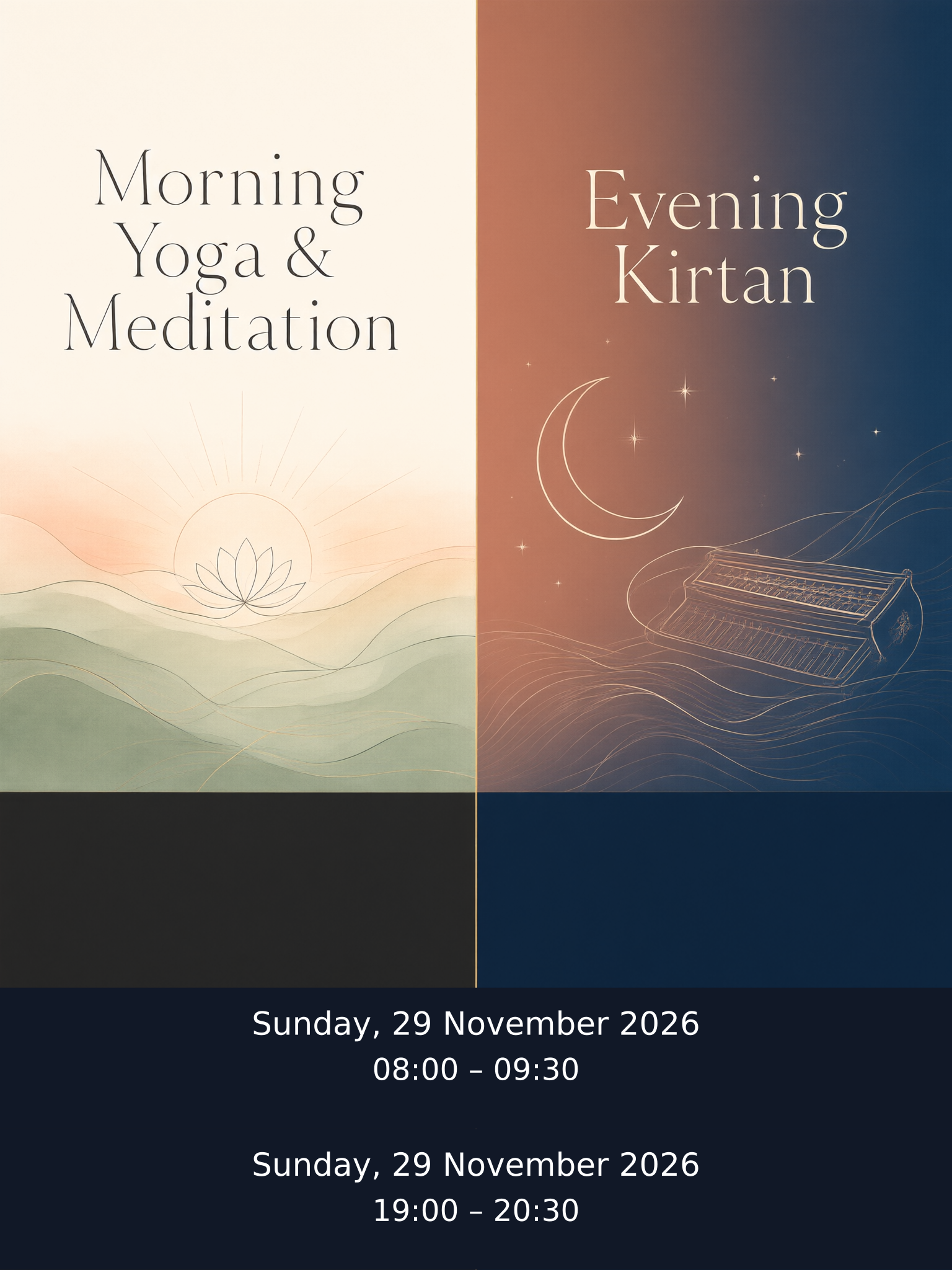
A single flyer image advertises two distinct events on the same day, each with its own block of date/time details written into the image. The system must recognize both and publish one card per event.
Steps
- Generate and render the two-event flyer with both date/time overlays.
- Send the flyer image with no caption.
- Wait for the events to appear in the listing.
- Verify:
- Event "Morning Yoga & Meditation" at 08:00–09:30 on the flyer's date
- Event "Evening Kirtan" at 19:00–20:30 on the flyer's date
- Exactly two event cards
- Admin panel: nothing flagged for review or filtering.
Images